Guide
The eyes
The eyes show what Winku is doing. They turn teal while you talk, amber while the model thinks, lavender while it answers, and lime while it draws a visual. They close into happy arcs when a reply lands, and slowly fall asleep when nothing has happened for a while.
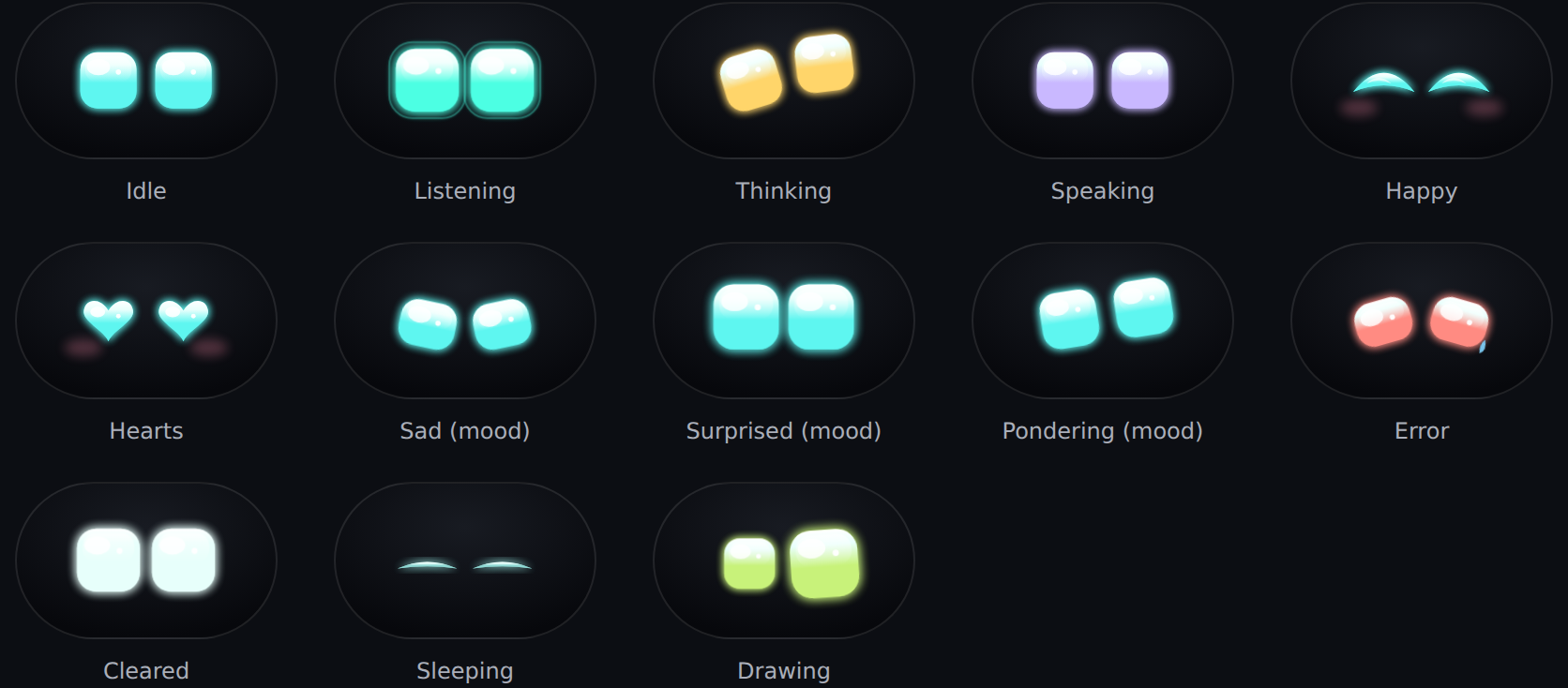
- Context. The lids droop a little as the conversation fills the model’s context, so you can tell when it’s time to clear it.
- Thinking level. At rest, the colour shows how hard the model thinks: pale mint when off, through cyan, to indigo at the most.
Ctrl+Alt+Tchanges it, and the eyes hop when it goes up. - The dot field. Behind the eyes, a grid of dots lights up with what Winku is doing: rings while you talk, specks drifting off while it thinks, a voice meter while it speaks.
- Quiet. The eyes never start a conversation. They only speak up for an error or a scheduled task you asked for.
You can make them Small, Medium or Large, or hide them, in Settings > Eyes.
This page comes from Winku's docs on GitHub.