Download

Free and open source · Windows and Linux

A desktop assistant that lives at the edge of your screen.

Press Ctrl + Alt + Space to ask anything, or hold it to talk. Winku answers, runs things for you and rewrites the text you select, in any app.

Download for Windows

Version 0.5.0 · 44.0 MB · Windows 10 and 11, x64 · Also for Linux

The launch film

What it does

One key away, in every app.

Winku sits at the edge of your screen until you need it. Then it opens right where you are working.

Ctrl + Alt + Space Tap

Just ask.

The bar opens where you are. Type a question and press Enter. Winku searches the web, reads the pages and answers in the bubble under the bar. When a picture says more than words, it draws a chart, a table or a diagram.
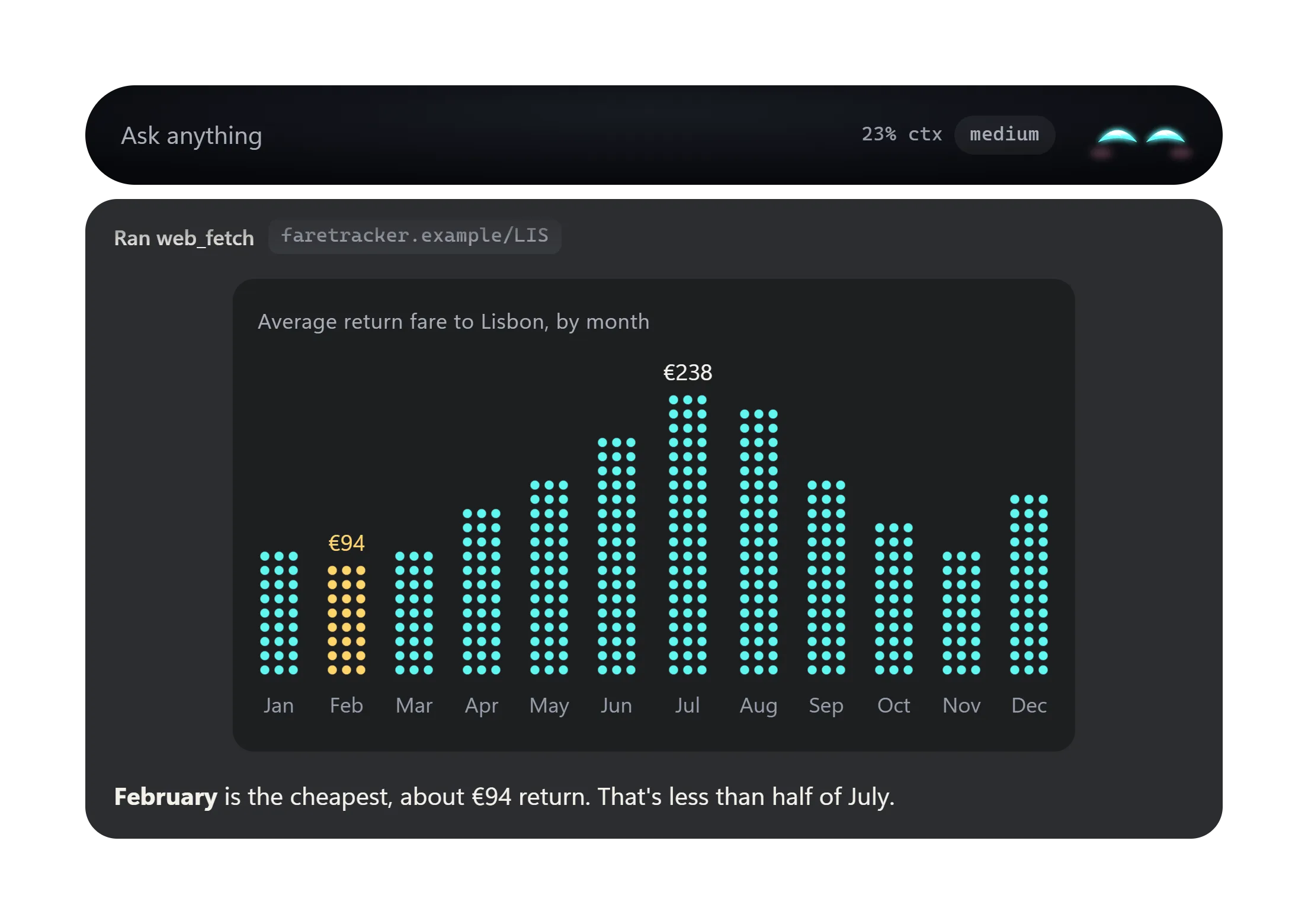
The Winku bar with an answer under it: a chart of average return fares to Lisbon by month, with February the cheapest at about 94 euros.

Ctrl + Alt + 1–5 Select text, then press

Fix the text you are writing, in any app.

Select text in an email, a document or a chat and press an action key. Rewrite, Fix grammar and Shorter replace the selection in place, and Ctrl + Z in that app undoes it. You can edit all five actions in Settings.

  1. 1 Rewrite Replaces the selection
  2. 2 Fix grammar Replaces the selection
  3. 3 Shorter Replaces the selection
  4. 4 Explain Shows in the bar
  5. 5 Do it Runs it as a task with tools
New message
To John Doe
Subject Q3 numbers

Hi John, quick one on the Q3 numbers. I went back through the sheet this morning and most of it looks right to me, but before Friday could you check the travel line and the March total? I think one of them is counted twice, and if so the summary on page two is off as well.

Hi John, before Friday could you check the travel line and the March total? I think one is counted twice.

Ctrl+Alt+3 Shorter

Ctrl + Alt + Space Hold

Or hold it and talk.

Hold the key, say what you need, and let go to send. Your speech is recognised on your computer and never leaves it. When you speak, Winku reads the reply aloud in a natural offline voice.

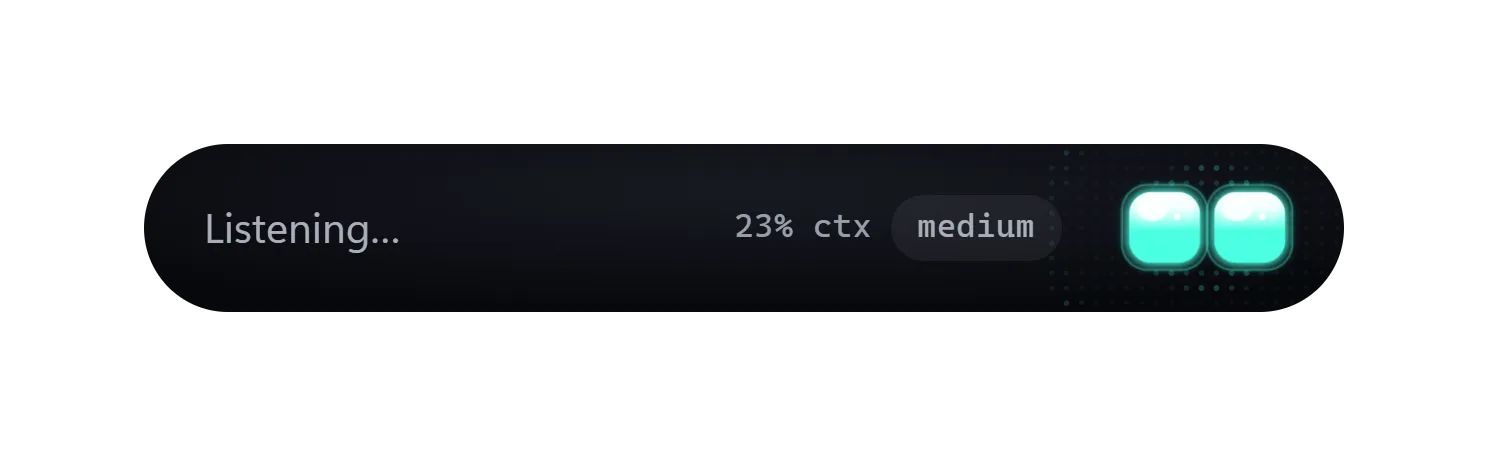
The Winku bar while listening: it reads Listening, and the eyes turn teal.

Tools

It does things, not just says them.

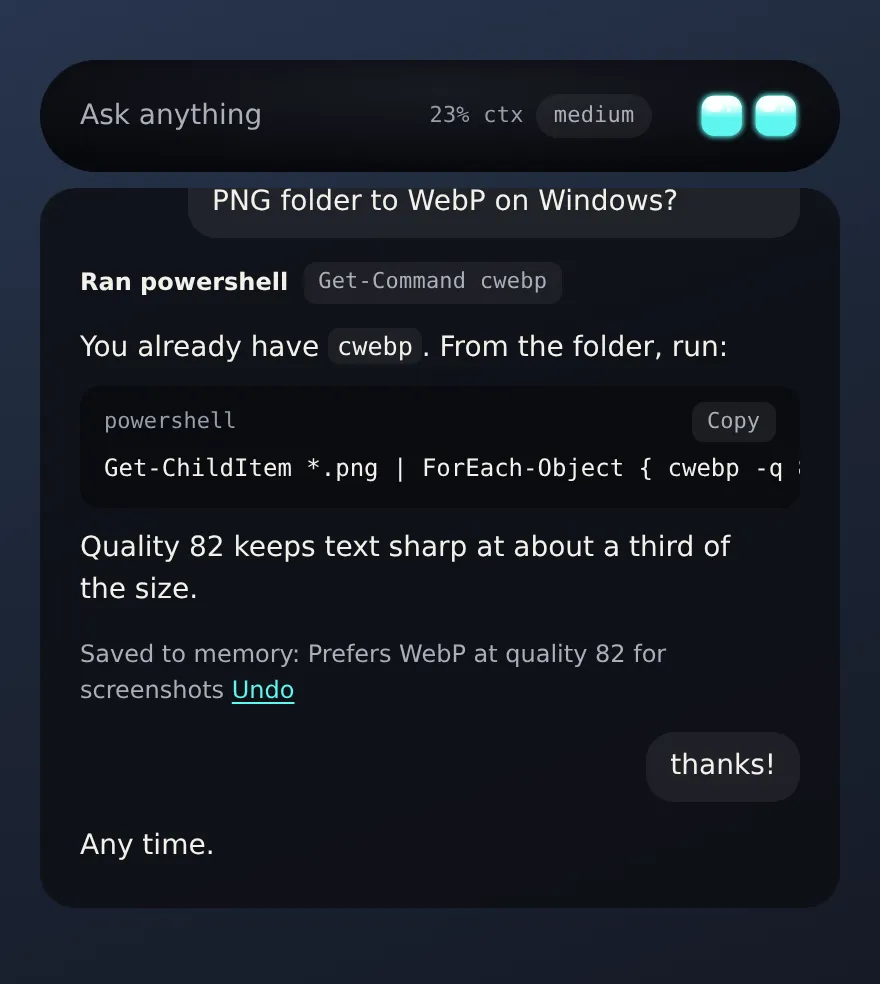
Winku can read and write files in your home folder, run PowerShell, open files, apps and web pages, read web pages and look at the window you were using. Turn on Ask before running to approve each change first.

The transcript under the bar: a question about converting PNG files to WebP, the PowerShell command Winku ran, its answer with a code block, and a saved memory with Undo.

Memory

It remembers you.

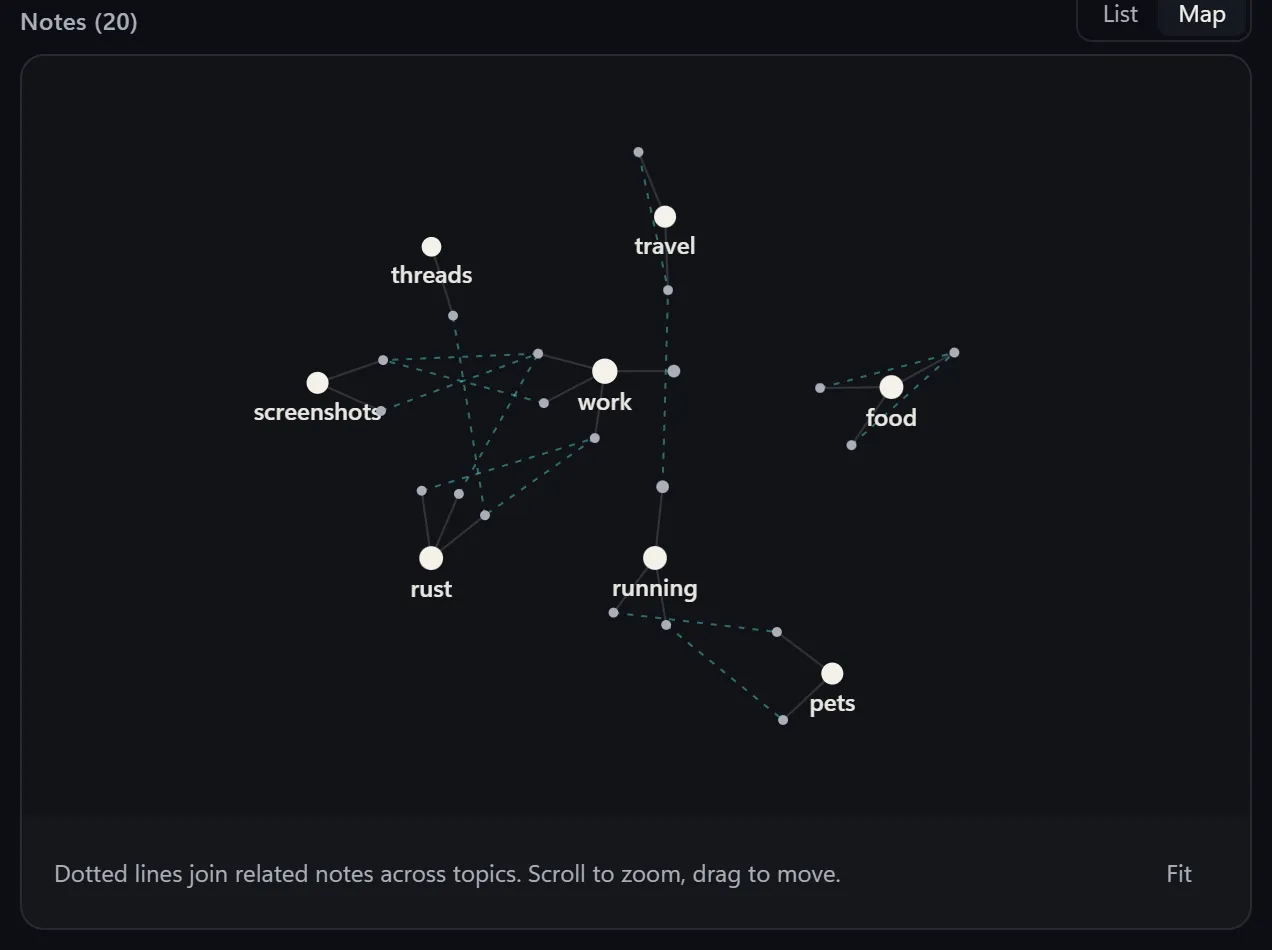
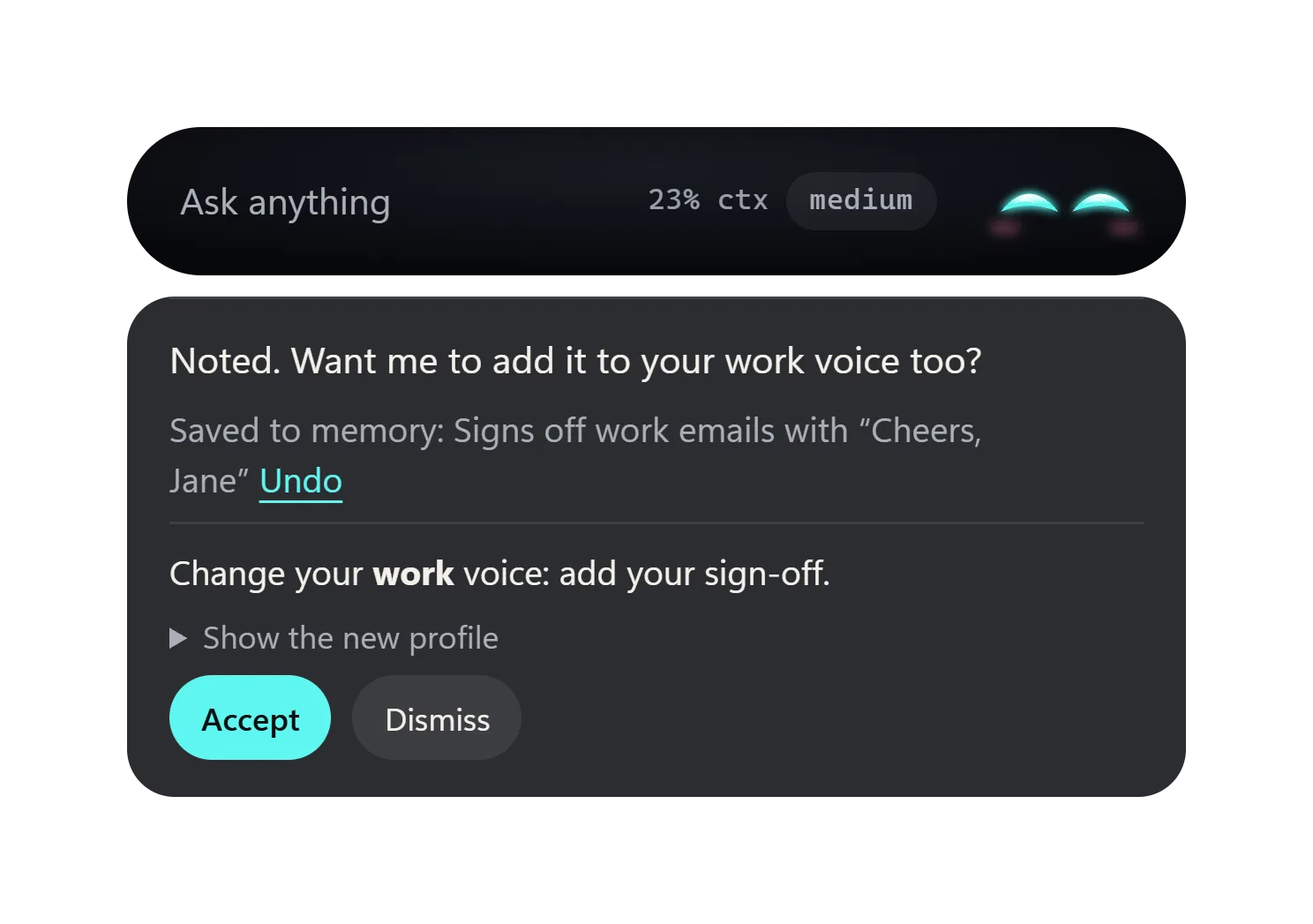
Winku keeps a short profile, your current goals and a recap of where you left off, so you don't have to repeat yourself. Each reply shows what it saved, with an Undo. It is all plain markdown you can read, edit or delete, and the search that picks the notes runs on your computer.

The notes map in Settings: each topic is a hub, with dotted lines between related notes. A reply that saved a memory: 'Signs off work emails with Cheers, Jane', with an Undo link.

The eyes

You can tell what it is doing at a glance.

The eyes change with what Winku is doing, so you never wonder whether it heard you. They droop a little as the conversation fills up, so you know when to clear it.

Waiting at the edge of your screen. The colour shows how hard the model thinks.

What every look means

Models

40+ providers. Or run your own models.

Winku is built on pi, so it speaks to every provider pi knows. Pick one, paste an API key, choose a model and press Test. Or point Winku at a model running on your computer in Ollama or LM Studio.

  • Anthropic
  • OpenAI
  • Google Gemini
  • Google Vertex AI
  • Amazon Bedrock
  • Azure
  • Mistral
  • DeepSeek
  • xAI
  • Meta
  • Qwen
  • Moonshot AI
  • MiniMax
  • Z.AI
  • Xiaomi
  • Ant Ling
  • OpenRouter
  • Vercel AI Gateway
  • Cloudflare
  • Groq
  • Cerebras
  • Fireworks
  • Together
  • Baseten
  • Hugging Face
  • NVIDIA
  • Ollama On your computer
  • LM Studio On your computer
  • Anything else Any OpenAI-compatible endpoint, or a pi extension that adds a provider

Your data

No account. No telemetry.

Winku talks only to the model provider you choose and, if you add a key, Brave Search.

  • Keys stay locked

    API keys are kept in Windows Credential Manager or the Linux Secret Service, never in a file.

  • Your voice stays home

    Speech is recognised on your computer and never leaves it.

  • Memory is plain files

    Markdown you can read, edit or delete, with Forget everything in Settings.

  • Screens only when asked

    A screenshot goes only when you attach it or when Winku looks for something you asked.

Everything Winku keeps, and where

Keys

Everything is a key away.

You can change every key in Settings.

Winku keyboard shortcuts
KeysDoes
Ctrl + Alt + Space Tap to open or hide the bar. With text selected in another app, it brings that text to the bar.
Ctrl + Alt + Space Hold to talk, and let go to send. Holding also stops Winku speaking.
Ctrl + Alt + 1–5 Run an action on the selected text: Rewrite, Fix grammar, Shorter, Explain or Do it.
Ctrl + Alt + Q Ask about the selected text.
Ctrl + Alt + S Attach a screenshot of the current window.
Ctrl + Alt + X Clear the conversation, with Undo for 5 seconds.
Ctrl + Alt + T Change how hard the model thinks.
Esc Stop the reply or the speech. Press again to hide the bar.
Ctrl + J Show or hide the transcript, the whole conversation.

Questions

Good to know.

Is Winku free?

Yes. Winku is free and open source under the MIT license. You connect it to the model provider you choose with your own API key, or to a model running on your computer.

Which systems does Winku run on?

Windows 10 and 11 (x64), and Linux on x86_64 as a .deb, an .rpm or an AppImage. On Linux it works best in an X11 session: on Wayland it runs through XWayland and can only see apps that do too.

Why does Windows SmartScreen warn about the installer?

The installer is not code-signed yet, so SmartScreen may say it "protected your PC". Choose More info, then Run anyway. Updates after that are checked against Winku's own signing key before they install.

Which AI models can I use?

Winku works with more than 40 providers, including Anthropic, OpenAI, Google, Amazon Bedrock, Mistral, DeepSeek, xAI, Groq, OpenRouter and Vercel AI Gateway, and with models you run yourself in Ollama or LM Studio. A pi extension can add more. Press Ctrl+Alt+Space, pick a provider, paste an API key, choose a model and press Test.

Do I need an account? Is there telemetry?

There is no account and no telemetry. Winku talks only to the model provider you choose and, if you add a key, Brave Search. API keys are kept in Windows Credential Manager, or on Linux in the Secret Service (GNOME Keyring or KWallet), never in a file.

What does the model see from my screen?

Each message carries a short note: the app and window title you are in, the text you have selected, and the kind and size of what is on the clipboard, not its contents. A screenshot or the clipboard's contents go only when you attach them or when Winku looks at them for something you asked.

Is my voice sent anywhere?

No. Speech is recognised on your computer and never leaves it. Replies are read aloud by an offline voice. The speech model, about 110 MB, downloads the first time you hold the talk key.

How does Winku update?

It updates itself from GitHub Releases. Each update is checked against Winku's signing key and installs when you quit or restart. You can switch this to "Tell me" or "Off" in Settings > App.

Ctrl+Alt types characters on my keyboard. What do I do?

If Ctrl+Alt acts as AltGr on your layout, Settings offers Ctrl+Shift instead. You can change every key in Settings, or set a leader key such as F13.

Keep an eye out.

Winku is early: version 0.x, for Windows and Linux, and the Windows installer isn't signed yet. It is free, and it updates itself.

Download for Windows

Version 0.5.0 · 44.0 MB · Windows 10 and 11, x64 · Also for Linux